On this page
A LinkedIn voice note is an audio message of up to one minute that you record in the LinkedIn mobile app and send to a 1st degree connection. This guide covers how they work, when to send one, what to say, how to fit them into outreach and what results to expect.
One warning before we start. Most numbers you will read about voice notes have no source behind them. I will show you ours, with the sample size, and I will tell you what we do not know yet.
I run Voice Outreach, a tool that sends voice notes as part of LinkedIn outreach. So I have a side in this. I have tried to write the guide I wanted when I started, including the parts that do not flatter my own product.
What is a LinkedIn voice note?
It is a recorded audio message that sits inside a normal LinkedIn chat. The other person sees a small player in the conversation and taps Play to hear you.
LinkedIn calls them voice messages. Many people call them voice notes. They are the same thing, and I use both names in this guide.
What are the rules today?
LinkedIn's help page sets out three rules. I checked it on 2026-09-17, and you can read it yourself: Send voice messages in LinkedIn Messaging.
- Length. A voice message can be up to one minute long.
- Device. The feature is only available on the LinkedIn mobile app.
- Who. You can send them to your 1st degree connections or in group chats.
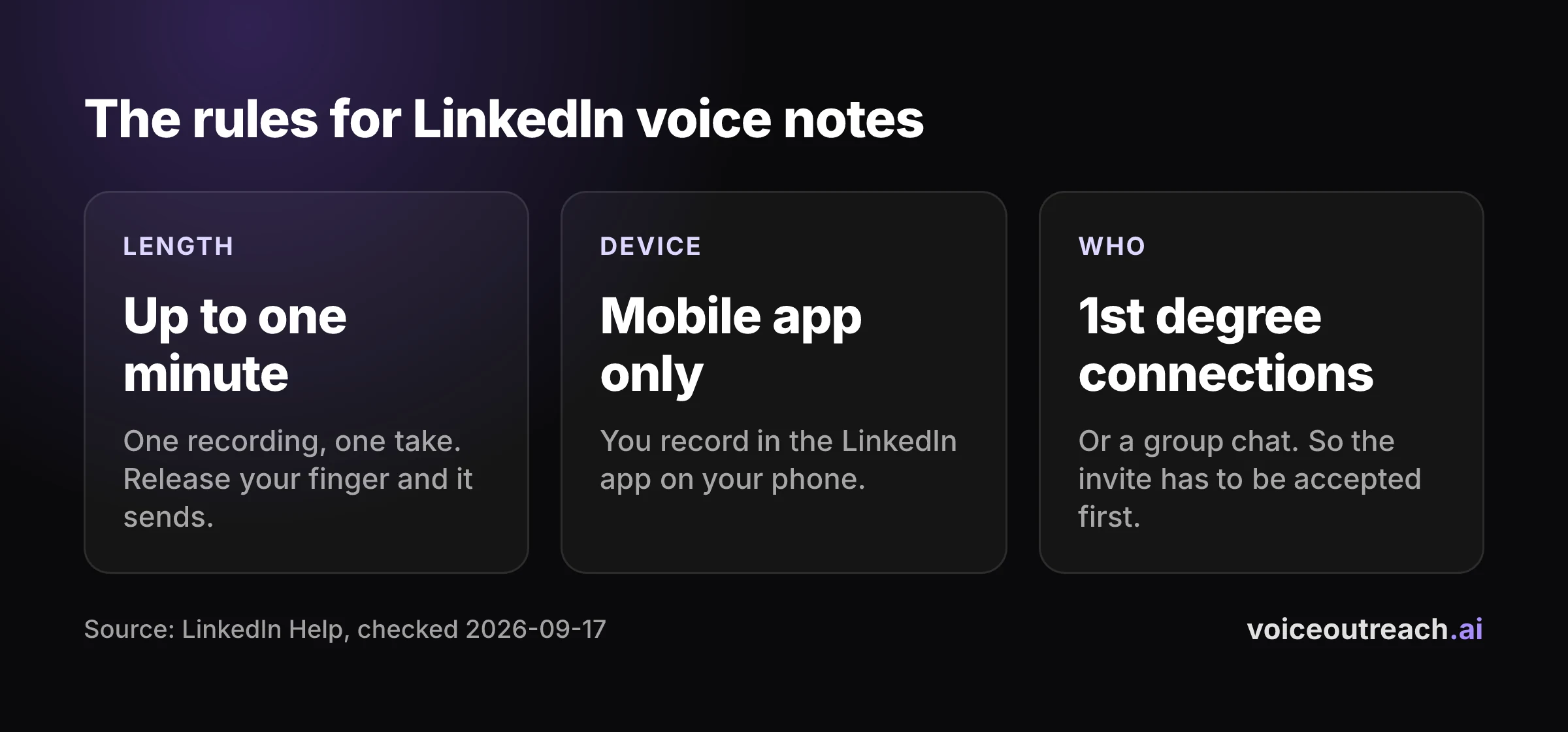
That third rule shapes everything else in this guide. You cannot voice note a stranger. They have to accept your invite first, which means the voice note is never your first touch.
Did LinkedIn remove voice notes?
No. People ask this, usually because they are looking for the microphone on a laptop.
LinkedIn's help page still documents the feature, and it says recording only happens in the mobile app. If you cannot find the microphone, you are almost certainly on desktop, or you are in a chat with someone who has not accepted your invite.
How do you send a LinkedIn voice note?
Here is the short version. Open the LinkedIn app, tap Messaging, and open a chat with a connection.
Tap the microphone icon and allow microphone access if your phone asks. Then tap and hold the large microphone button, talk, and release to send.
Be careful with that last part. Letting go sends the message straight away. If you make a mistake, keep your finger down and swipe away from the button to cancel.
I wrote a full walkthrough with the fixes for a missing microphone icon here: how to send a voice message on LinkedIn, step by step.
Do voice notes work on desktop?
Not for recording. LinkedIn says the feature is only available on the mobile app.
If you do all your LinkedIn work on a laptop, this is the main friction. You either pick up your phone for every voice note, or you use a tool that sends them for you. I cover tools further down.
Do LinkedIn voice notes get more replies?
This is the question everyone actually cares about. The honest answer is that I could not find good published evidence either way, and that includes ours.
What does the internet claim?
Search for this topic and you will find confident numbers. One page says voice lifts replies by about a third. Others say voice doubles replies, triples them, or multiplies them by ten.
I traced the ones I could. None of them links to a method, a sample size or a time period. One popular claim cites a LinkedIn article, which itself gives no source at all.
When the same question gets answers that far apart, nobody is measuring. They are guessing, or they are selling. I am not going to repeat any of those figures as if they were facts.
What do we actually see?
Here are our numbers. They come from our own outreach, run through two LinkedIn accounts between 2026-06-25 and 2026-09-17.
9.0%
of our voice notes got a reply. That is 16 replies from 178 voice notes.
A reply here means any reply after the voice note, including a polite no. All 16 replies came within 7 days of the voice note.
23.8%
of our connection invites were accepted. That is 195 accepted from 819 invites.
The second number matters as much as the first. You can only voice note people who accept, so acceptance is the gate. Roughly three in four people we invited never gave us the chance to send anything.
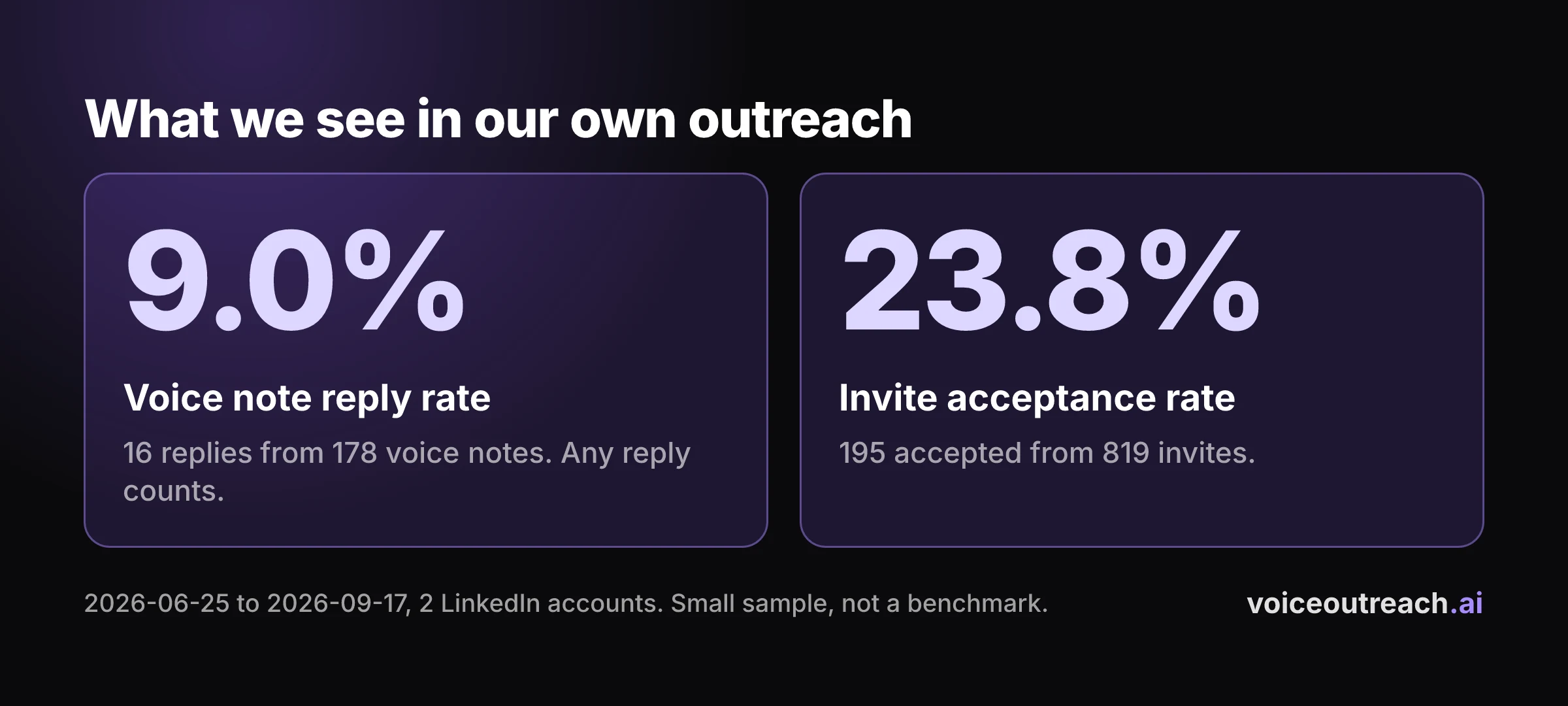
These are small samples from one company's outreach. They are not a benchmark, and your numbers will differ with your audience, your offer and your voice.
What do we not know yet?
We do not know whether a voice note beats a text message. I would love to tell you it does. I cannot, and neither can anyone else I have read.
The only fair way is a split test. Same audience, split at random, same words, one group gets text and the other gets voice.
We are setting up exactly that test and will publish the results, whatever they show. Until then, treat anyone who quotes you a multiplier with suspicion, and that includes people who sell voice note tools.
Why does a voice note feel different from a text?
Set reply rates aside for a moment. There is a separate question, which is how a voice message feels to the person receiving it.
Two psychologists, Amit Kumar and Nicholas Epley, studied how people connect through voice and through text. People who talked using their voice felt a stronger bond than people who typed. They also found it no more awkward, even though they expected it to be.
Please read that for what it is. The study looked at old friends and strangers getting in touch. It was not about LinkedIn, sales or reply rates, and it does not prove that voice notes get more replies.
What it supports is smaller and, I think, more useful. A voice carries things that text cannot. Tone, warmth, a laugh, the fact that you bothered.
A template cannot say someone's name out loud. When a person hears their own name in your voice, they know a human was involved. In an inbox full of copied and pasted openers, that is worth something, even if I cannot put a number on it yet.
When should you send a voice note, and when should you not?
A voice note asks more of the listener than a text does. They cannot skim it. They may be in a meeting, on a train, or without headphones.
So earn the listen. Send one when your voice adds something, and use text when it does not.
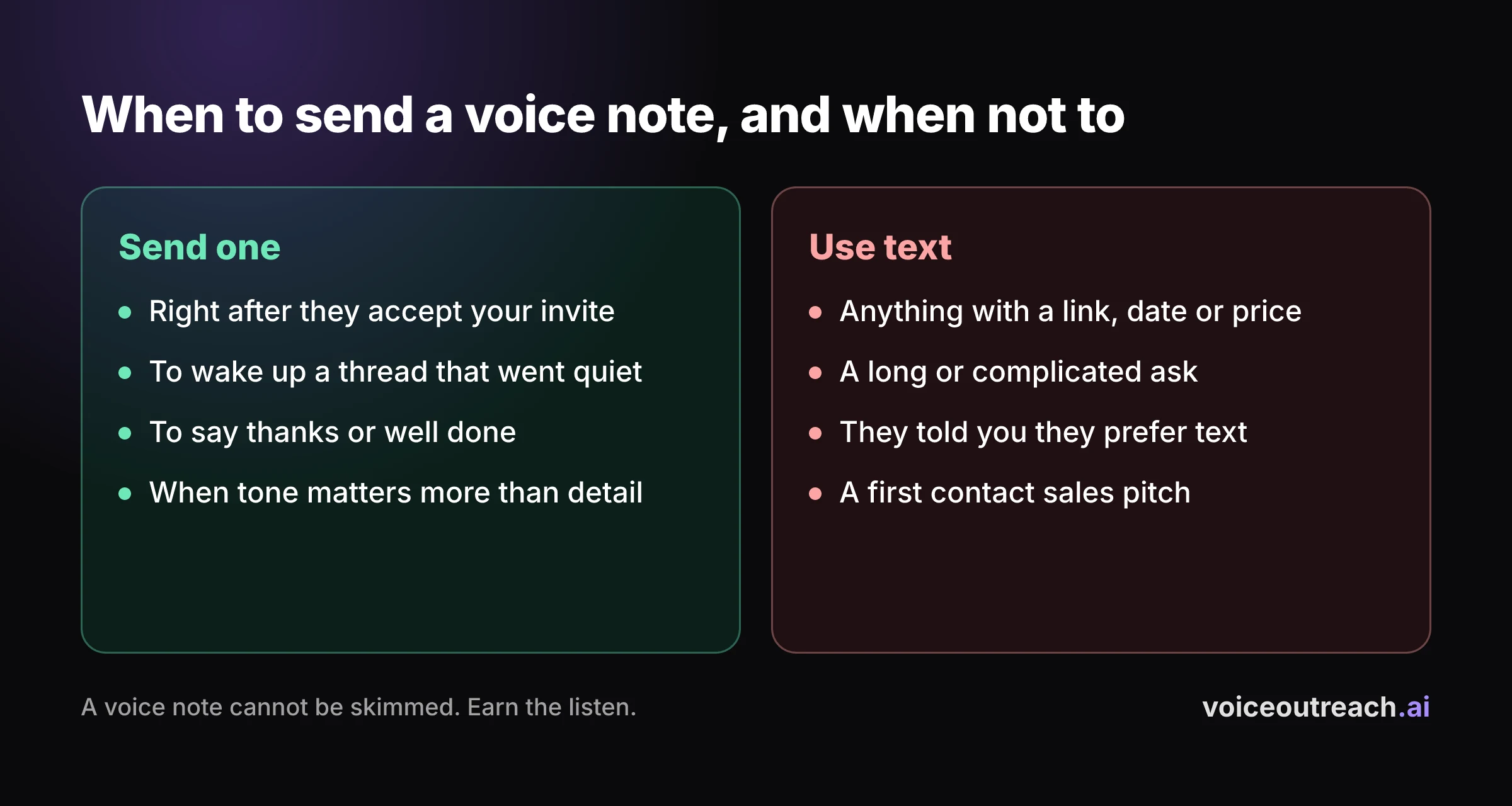
Good moments for a voice note
- Right after they accept your invite. They just saw your name and said yes. A short hello in your own voice lands while you are still fresh in their mind.
- When a thread has gone quiet. You had a good exchange, then silence. A voice note is a different kind of nudge from another "just following up" text.
- To say thanks or well done. New job, a launch, a kind introduction. Warmth comes across better spoken.
- When tone matters more than detail. If the words could read as cold or pushy in text, say them instead.
Bad moments for a voice note
- Anything with a link, a date or a price. Nobody wants to replay audio to catch a detail. Put details in text.
- A long or complicated ask. If it needs more than one idea, it needs to be written down.
- When they have told you they prefer text. Believe them.
- A sales pitch. A pitch in audio is a cold call they did not pick up. It gets the same welcome.
Think about the person listening
A voice note has no transcript. Someone who is deaf or hard of hearing may not be able to use it at all. Someone in an open office may not want to play it out loud.
So never send a voice note and walk away. If it goes unanswered, make the next message text, and write it so it stands on its own without assuming they listened.
What should you say in a LinkedIn voice note?
Less than you think. The best voice notes sound like a quick hello from someone who did a little homework.
A simple shape that works
- Their name. Open with it. It is the proof that this recording is for them.
- Your reason. One honest sentence about why you wanted to talk to this person in particular.
- One question. Easy to answer from memory. It should not need a calendar or a spreadsheet.
- Stop. No speech at the end. A short thanks, then finish.
Notice what is missing. No company history, no feature list, no request for a meeting. The job of the first voice note is to start a conversation, not to close one.
Two example scripts
Treat these as shapes, not lines to read out. Change the words until they sound like you.
For a sales conversation:
Hi Sarah, it's Hassan, thanks for connecting. I saw you lead sales at a company that is hiring reps right now, so I guess outbound is on your mind.
Quick question. Are your reps sending their own LinkedIn messages, or does that sit with marketing? No rush at all, and thanks.
Founder to founder:
Hi Tom, Hassan here, thanks for the connect. I build a small software product too, and I noticed you got your first customers without paid ads.
I would love to know one thing. What was the first channel that really worked for you?
Both do the same three things. They say the name, they give a real reason, and they ask one question that is easy to answer.
How should it sound?
Like you. Do not put on a radio voice, and do not read a script word for word.
Know your three points, press record and talk. If you stumble a little, leave it in. A small stumble tells the listener that a person made this, and that is the whole point.
Stay well under the one minute limit. Record somewhere quiet, hold the phone a normal distance from your mouth and speak a little slower than feels natural.
What do you do when they reply?
Answer like a person, and answer quickly. Reply in the format they chose, so text gets text and a voice note can get a voice note back.
Deal with what they said before anything else. If they asked a question, answer it. If they answered yours, thank them and ask the natural next one.
This is where most outreach falls over. The opener was human, and then the second message is a calendar link and three paragraphs about the product. Keep talking the way you started.
Where do voice notes fit in an outreach sequence?
Because of the 1st degree rule, the order is fixed at the start. The invite comes first, and the voice note can only follow an accept.
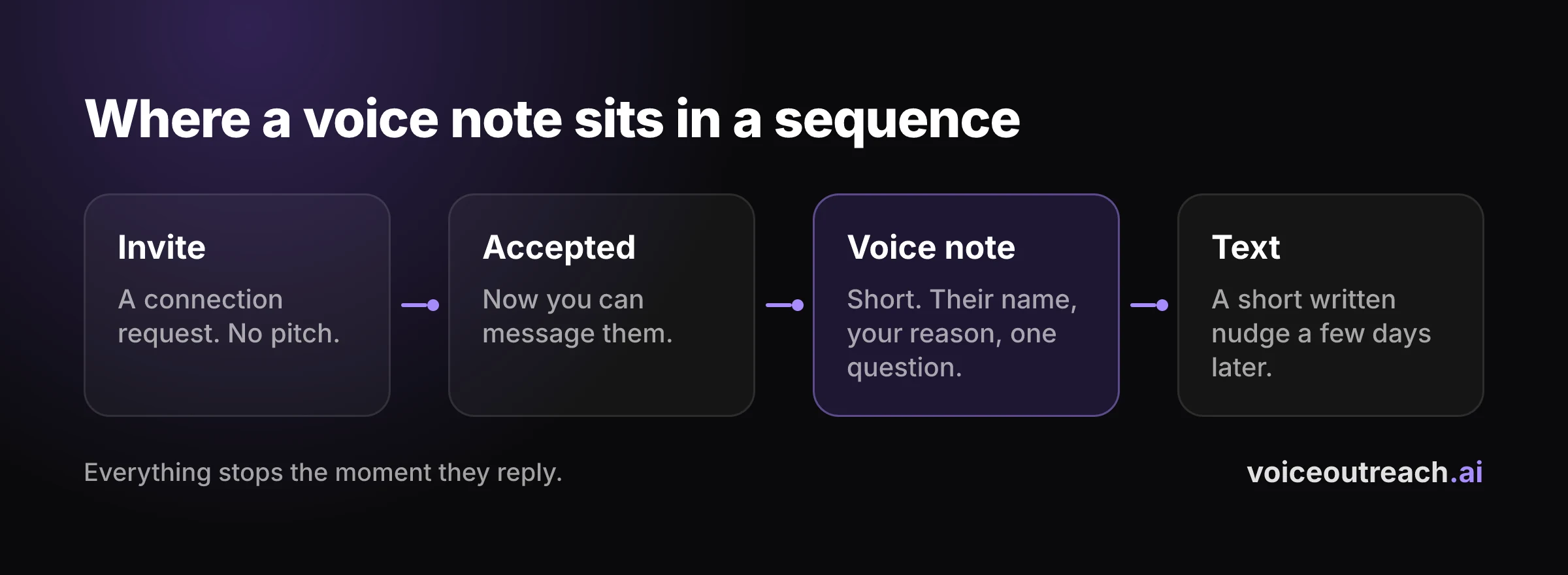
Here is the sequence I would start with.
- Invite. A connection request with no pitch. Your profile does the talking at this stage.
- Wait for the accept. Remember our 23.8% acceptance rate, from 195 of 819 invites. Most people will not accept, and that is normal.
- Voice note. Short, by name, one question.
- Text follow up. A few days later, a short written message that makes sense even if they never played the audio.
- Stop on reply. The moment they answer, the sequence ends and a human takes over.
That last step is the one people get wrong. Nothing kills a good conversation faster than an automated follow up that arrives after the person has already replied.
Do not send a voice note and a text at the same moment. It looks like a machine emptied its queue on them. Give each message room.
Can you automate LinkedIn voice notes?
Yes. This is what my company does, so let me explain how it works and where the limits are.
How do tools send voice notes?
There are two approaches.
The first is one recording for everyone. You record a single voice note, and the tool sends that same audio to each new connection as a step in your sequence. It is your real voice, and it is generic, so it cannot use their name.
The second is a personal voice note for each lead. The tool uses a clone of your voice to speak a message written for that one person, with their name and details in it. You do not record each one yourself.
Voice Outreach does both. In the product the first is called a static voice note, and every plan includes it. The second is called personalized cloned voice and is on the Pro plan only, as the pricing page shows.
How does using your own cloned voice work?
Go to the Voice Library and record yourself reading a short script. Read it in your natural accent and at your own pace, and your voice notes will sound like you.
That is the whole setup. The more natural your reading, the more the result sounds like a person and the less it sounds like a voiceover.
Getting started is just as short. Click LinkedIn Accounts in the left menu and connect your LinkedIn profile. The getting started guide walks through it with pictures.
How do you keep your account safe?
LinkedIn's User Agreement says members must not use unauthorized automated methods to send messages. That applies to every outreach tool on the market, mine included. So keep your volumes at a level a real person could plausibly manage, write messages you would be happy to send by hand, and never run two automation tools on the same LinkedIn account.
Pacing is the practical side of that. Spread your sends through the working day, keep daily limits modest, and do not jump from nothing to a full queue overnight.
Any decent tool lets you set those limits yourself. If a tool encourages you to blast, that tells you what its makers care about.
How do you measure your own voice note results?
You do not need my numbers. You need yours. Here is how to get them without fooling yourself.
- Define a reply before you start. We count any reply after the voice note, positive or not. Pick one definition and keep it.
- Count per person, not per message. One lead who replies three times is one reply.
- Write down the denominator. "16 replies" means nothing. "16 replies from 178 voice notes" means something.
- Give it time. All 16 of our replies came within 7 days of the voice note. Do not judge a batch the next morning.
- Do not compare steps in the same sequence. The later step always reaches a more tired audience. If you want to compare voice with text, split one list at random and change only that one thing.
Small samples swing wildly. If you have sent a few dozen voice notes, you have an anecdote, not a rate. Keep counting.
What are the most common mistakes?
Pitching in the voice note. The first voice note starts a conversation. Save the pitch for when they ask what you do.
Reading a script. People can hear reading. It sounds flat, and it sounds like everyone else.
Using the full minute. The limit is a ceiling. A listener who sees a long recording from a near stranger often does not press Play at all.
Bad audio. Wind, traffic, a barking dog. If they have to work to hear you, they will not.
Sending voice and text together. Two messages in the same second reads as automation. Space them out.
Giving up after one try. Most people do not reply to anything the first time, in any format. One unanswered voice note tells you nothing.
Trusting a vendor's multiplier. If the claim has no sample size, it is marketing. Run your own small test and believe your own numbers.
What should you do next?
If you have never sent a voice note, send one today. Pick a connection you already know, follow the step by step guide, and get the awkward first recording out of the way.
Then send a handful to new connections this week, by hand. Use the simple shape above. Write down how many you sent and how many replied.
If it works for you and the manual part becomes the bottleneck, that is the moment to look at a tool. You can see how ours works on the Voice Outreach home page.
Frequently asked questions
How long can a LinkedIn voice note be?
Up to one minute, according to LinkedIn's help page. Treat that as a ceiling and aim to finish well before it. Short voice notes are easier to listen to and easier to answer.
Can I send a voice note to someone I'm not connected with?
LinkedIn says voice messages go to your 1st degree connections or into group chats. So the connection request comes first, and the voice note follows once they accept.
Do LinkedIn voice notes work on desktop?
LinkedIn says the feature is only available on the LinkedIn mobile app. If you cannot find the microphone icon on your laptop, that is why. Open the same chat in the app on your phone.
How do I know if someone listened to my voice note?
LinkedIn's help page on voice messages does not describe any listened receipt, so I would not count on one. The only signal you can trust is a reply. That is also why your next message should make sense even if they never pressed Play.
Do voice notes really get more replies than text?
I could not find anyone who has shown that with a real method, so be wary of big claims. In our own outreach, 9.0% of voice notes got a reply, which is 16 replies from 178 voice notes across two LinkedIn accounts. That is what we see, not proof that voice beats text, and we are setting up a proper test to find out.
Can you automate LinkedIn voice notes?
Yes. Tools can send one recorded voice note to every new connection, or a personal one for each lead using a clone of your own voice. LinkedIn's User Agreement does not allow unauthorized automated methods for sending messages, so keep volumes modest and never run two automation tools on one account.
Written by
Hassan Amjad
Founder of Voice Outreach. I send LinkedIn voice notes at scale and write about what actually gets replies.