On this page
People reply on LinkedIn when the message is short, clearly about them, and asks one question they can answer without thinking. They ignore anything that reads like a template, and most people can spot a template from the preview line alone.
So the fastest way to get more replies is to find the signs that make your message look automated and take them out. Below is a checklist of those signs, what a normal reply rate actually looks like, and one message rewritten from start to finish.
A disclosure first. I run Voice Outreach, a LinkedIn outreach tool, so I have a side in this. Our own reply rate is in here too, and it is a lot less glamorous than the numbers you usually see.
Why do people ignore LinkedIn messages?
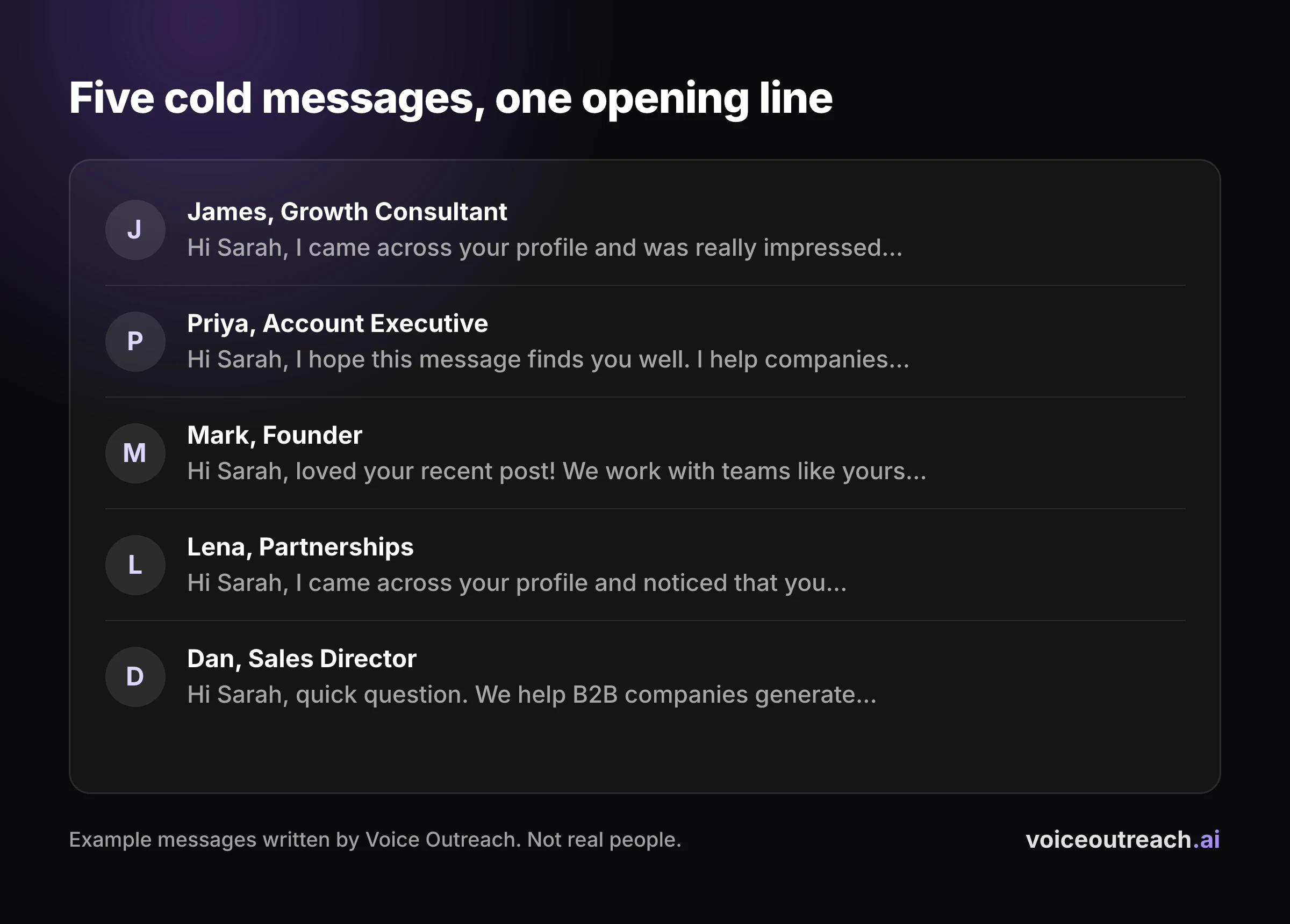
Most people decide in the preview. They see your name, your photo and the first line or so of your message, and that is usually all they need.
Three things get a message skipped at that stage:
- It is about you. "I help companies like yours" tells them this is a pitch before they have read a full sentence.
- It is long. A preview that ends mid paragraph signals a wall of text behind it.
- It looks like it went to 500 people. If the opening line would fit anyone, they assume it did.
Open your own inbox and look at the unread requests. You will see the same openers again and again, and you will skip them the same way everyone else does.
What is a good LinkedIn reply rate?
About one reply for every ten messages is a fair expectation for cold outreach on LinkedIn. Anyone promising you several times that is showing you their best campaign, not their average.
First, what counts as a reply?
Nobody agrees, and that is why the numbers you read are all over the place. Some tools count replies per message sent. Some count per lead, so a lead who got four messages and answered one is a 100% win.
Some count any reply, including "not interested, please stop." Others only count the positive ones. Always check which one you are looking at before comparing it with your own.
What large benchmarks say
The biggest dataset I found with a stated method comes from Expandi, which sells a LinkedIn automation tool and is a competitor of ours. So read this as vendor data, drawn from its own users.
Its 2026 LinkedIn outreach benchmarks put the message reply rate at 10.4%. That comes from 6,730,447 messages sent from 13,302 accounts between May 2025 and April 2026, and it is replies divided by messages sent. Welcome messages, follow ups and InMails all go into the same pot.
It is a boring number. That is why I trust it.
Why case studies look so much better
Vendor blogs love a campaign where half the list replied. Look closely and it is usually one campaign, picked after the fact, with no lead count and no dates.
That does not make it fake. A small list of warm, well chosen people can reply at that rate. It just tells you nothing about what your next 200 messages will do.
What we see in our own outreach
Here are our numbers, with the sample size, so you can judge them properly.
9.0%
of our voice notes got a reply. That is 16 replies from 178 voice notes, and all 16 came within 7 days.
23.8%
of our connection requests were accepted. That is 195 from 819 invites.
The signs your message sounds like a bot
This is the checklist. Run it over the last message you sent, and be honest with yourself.
- You pitch the minute they accept. An instant reply to an accepted invite tells them a machine was waiting. Leave it a while and send something that is not a pitch.
- "I came across your profile." It says nothing, so it reads as filler. Say what you actually noticed, or say nothing.
- Praise for a post you did not read. "Loved your recent post!" with no detail is a line people have learned to skip. If you mention a post, mention one thing in it.
- It is formatted like an email. "Dear", "I hope this finds you well" and a sign off with your full title. LinkedIn is a chat window, so write like one.
- Three paragraphs. Nobody reads an essay from a stranger in a chat window. If it needs scrolling on a phone, it is too long.
- A calendar link in the first message. You are asking for 30 minutes before they know why they should give you 30 seconds.
- A merge field that shows its seams. "ACME SOLUTIONS INC." in capitals, or a first name that is actually a job title. One broken field and the whole message is exposed.
- Follow ups on a fixed clock. The same nudge, the same gap, the same "just bumping this." They can see the timer.
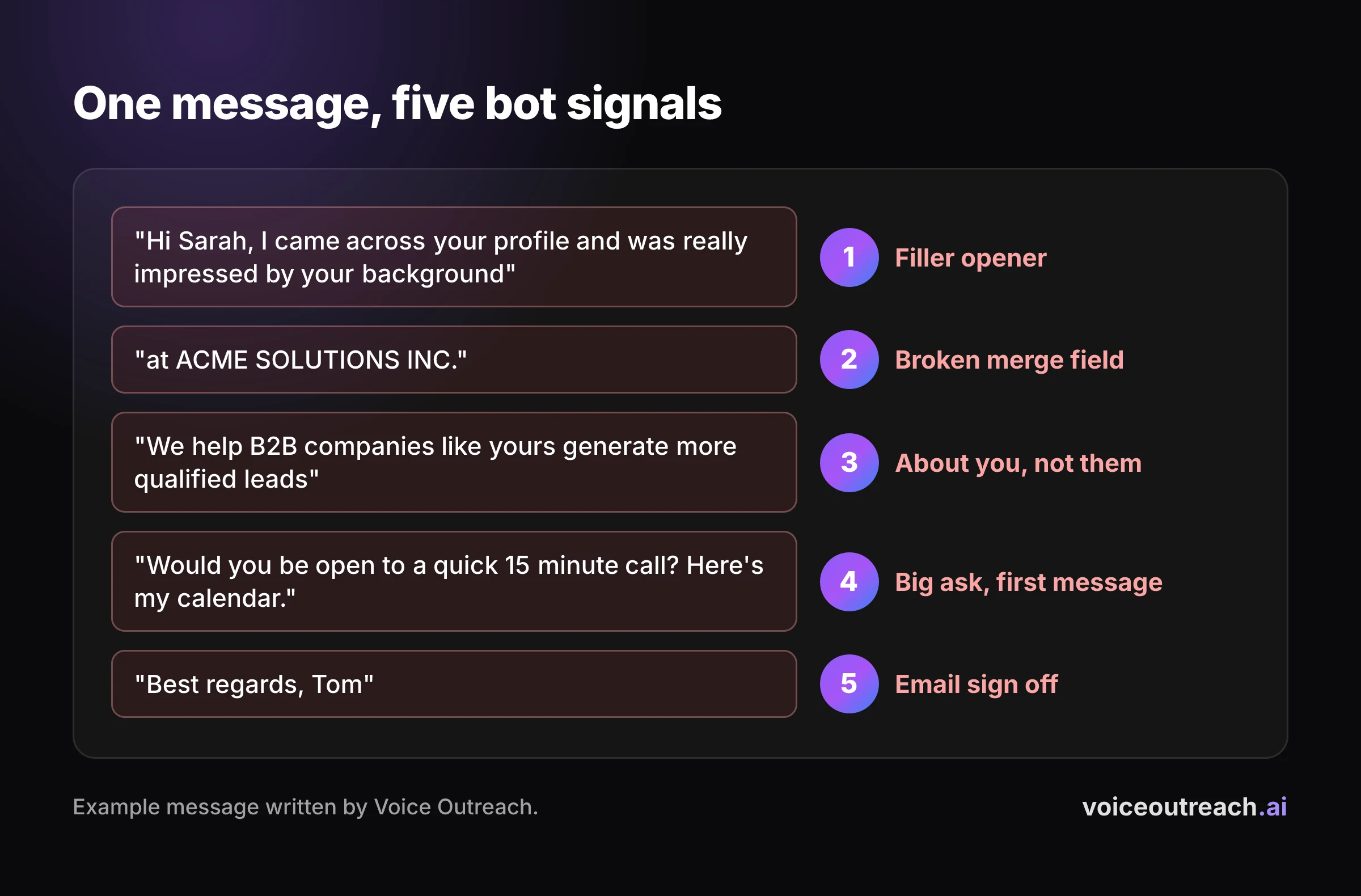
If your message trips two or more of these, rewrite it before you send another one. Swapping a word or two in a template does nothing when the reader can still see the template.
How to write a LinkedIn message people answer
You do not need a clever formula. You need a short message, a real reason, and a question that is easy to answer.
Keep it short
LinkedIn has published data on this, and it is worth knowing where it comes from. In a LinkedIn Talent Blog analysis of tens of millions of InMails sent by corporate recruiters between May 2021 and April 2022, the shortest InMails got a response rate 22% higher than the average. The longest were 11% below it.
Two caveats. These are recruiter InMails, not sales messages, and the figures are relative to an average rather than raw reply rates. Still, it matches what you would expect, and it comes from the platform itself.
A good test: it should fit on a phone screen with room to spare.
Pick one real reason
Personalisation has become a merge field with a compliment attached. Relevance is different. It is the actual reason you picked this person and not the next one on the list.
"You're hiring two SDRs" is a reason. "I see you're a leader in SaaS" is not. If you cannot write a real reason for someone, that person probably should not be on your list.
Ask one question they can answer from memory
The best first question needs no research and no calendar. They should be able to answer it on their phone, in the queue for coffee.
"Are you building outbound from scratch, or adding to a team that already books meetings?" works. "Would you be open to a quick call to explore synergies?" does not, because saying yes costs them an afternoon.
One message, before and after
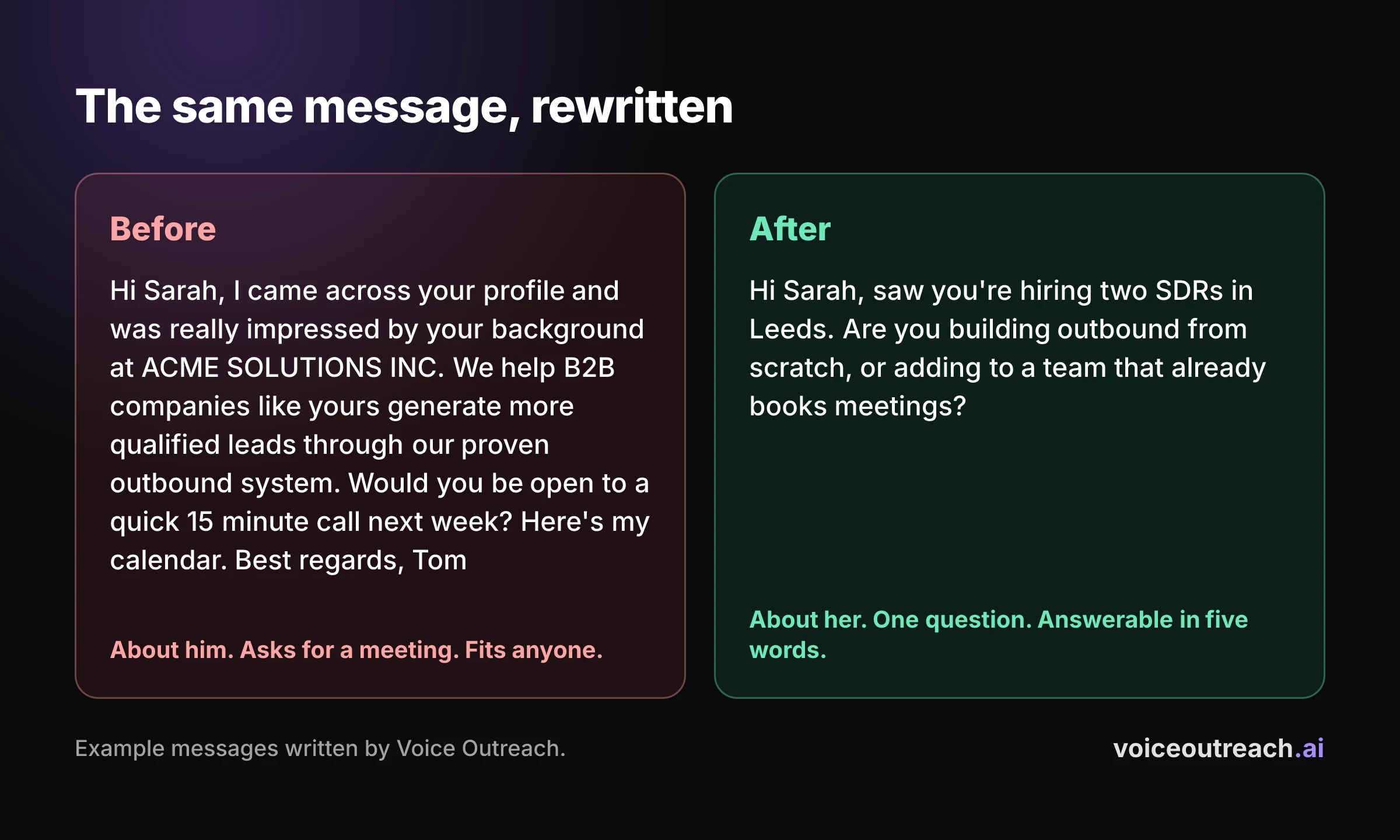
Here is an example I wrote to show the difference. Both versions are made up.
Before
Hi Sarah, I came across your profile and was really impressed by your background at ACME SOLUTIONS INC. We help B2B companies like yours generate more qualified leads through our proven outbound system.
Would you be open to a quick 15 minute call next week? Here's my calendar.
Best regards, Tom
After
Hi Sarah, saw you're hiring two SDRs in Leeds. Are you building outbound from scratch, or adding to a team that already books meetings?
The second one is shorter, it could only have been sent to Sarah, and she can answer it in five words. It also does not pitch anything yet. That comes once she has replied and you know what she needs.
Use your voice when text is not landing
A template cannot say your name out loud. That is the simplest reason I know to try a voice note when your written messages keep getting ignored.
A voice note carries the things text strips out: your accent, your pace, a small stumble. It is very hard for it to look like it went to 500 people, because it is you, talking to them.
I am not going to tell you voice gets more replies than text. I have not seen a number with a real method behind it, and we are running a proper test of our own now and will publish the results.
If you want to try it, the complete guide to LinkedIn voice notes covers when to send one and what to say. This step by step guide shows how to record one in the app.
Follow up without being a pest
This part is opinion, not data.
Change something every time. A second message that repeats the first with "just following up" on top adds nothing. Give them a new reason to answer, a different angle, or a shorter question.
Stop the moment they reply, even if the reply is no. Nothing looks more like a bot than a scheduled follow up landing after someone has already answered you. And when you run out of new things to say, stop anyway.
Can you automate outreach and still sound human?
Yes, as long as the human parts stay human. Automation is fine at timing and bookkeeping. It is bad at deciding who deserves a message and what to say to them.
Keep these in your own hands:
- The list. Who you contact matters more than anything you write. No tool fixes a bad list.
- The first line. Write it yourself, or at least write the reason for each person yourself.
- Your voice. If you send voice notes, they should be in your voice, saying things you would actually say.
- Stopping. Any sequence you run must stop the moment someone replies.
One more thing. LinkedIn's User Agreement does not allow unauthorized automated methods for sending messages, and that applies to every tool, mine included. Keep volumes at a level a real person could manage, and never run two automation tools on the same LinkedIn account.
That is how I built Voice Outreach to work. You connect your LinkedIn profile, record your voice once, and a voice note goes out as a step in a sequence that stops when someone replies. The getting started guide shows the setup and the pricing page shows the plans.
Frequently asked questions
What is a good reply rate on LinkedIn?
About one reply for every ten messages is a fair expectation for cold outreach. Expandi, a competitor of ours, reports a 10.4% message reply rate across 6.7 million messages sent by its own users. Treat case studies showing several times that as someone's best campaign, not an average.
Why do people accept my connection request but never reply?
Usually because the first message after the accept reads like a template or a pitch. Sending it the minute they accept makes it worse, because it proves a tool was waiting. Wait, then send something short with one real reason and one easy question.
How long should a LinkedIn message be?
Short enough to read on a phone without scrolling. LinkedIn's own analysis of recruiter InMails found the shortest ones got a response rate 22% above average, and the longest were 11% below it.
Should LinkedIn messages be automated?
Automate the timing and the bookkeeping, not the thinking. Choose your list and write the reason for each person yourself, and stop every sequence the moment someone replies. LinkedIn's User Agreement does not allow unauthorized automated messaging, so keep volumes modest and never run two tools on one account.
How many times should I follow up on LinkedIn?
There is no magic number. Only follow up when you have something new to say, change the message each time, and stop as soon as they reply or you run out of new reasons to write.
Written by
Hassan Amjad
Founder of Voice Outreach. I send LinkedIn voice notes at scale and write about what actually gets replies.