On this page
A good LinkedIn voice message script is about 50 words, which is under 20 seconds out loud, and it has one honest reason and one easy question. Below are six scripts for the moments where a voice message fits, written for founders, sales people and recruiters.
I cannot promise any of them will get a reply, and I will not quote a reply rate for a script, because nobody has a clean number. What I can give you is words you can change in two minutes and say in your own voice today.
I run Voice Outreach, which sends voice notes as part of LinkedIn outreach, so I have a side. These scripts work just as well if you record every one by hand on your phone.
How long should a LinkedIn voice message script be?
Short. LinkedIn lets you record up to one minute, according to its help page, but a limit is a ceiling, not a target.
My own rule is under 20 seconds, which is about 50 words. That is a working rule I use, not a statistic, so do not treat it as science. Say your script aloud once with a timer, and let the timer decide.
Remember who can receive one. LinkedIn says voice messages go to your 1st degree connections or into group chats, and only from the mobile app. Every script below assumes the person is already connected to you.
What do the best scripts have in common?
They all do four small things, and then they stop.
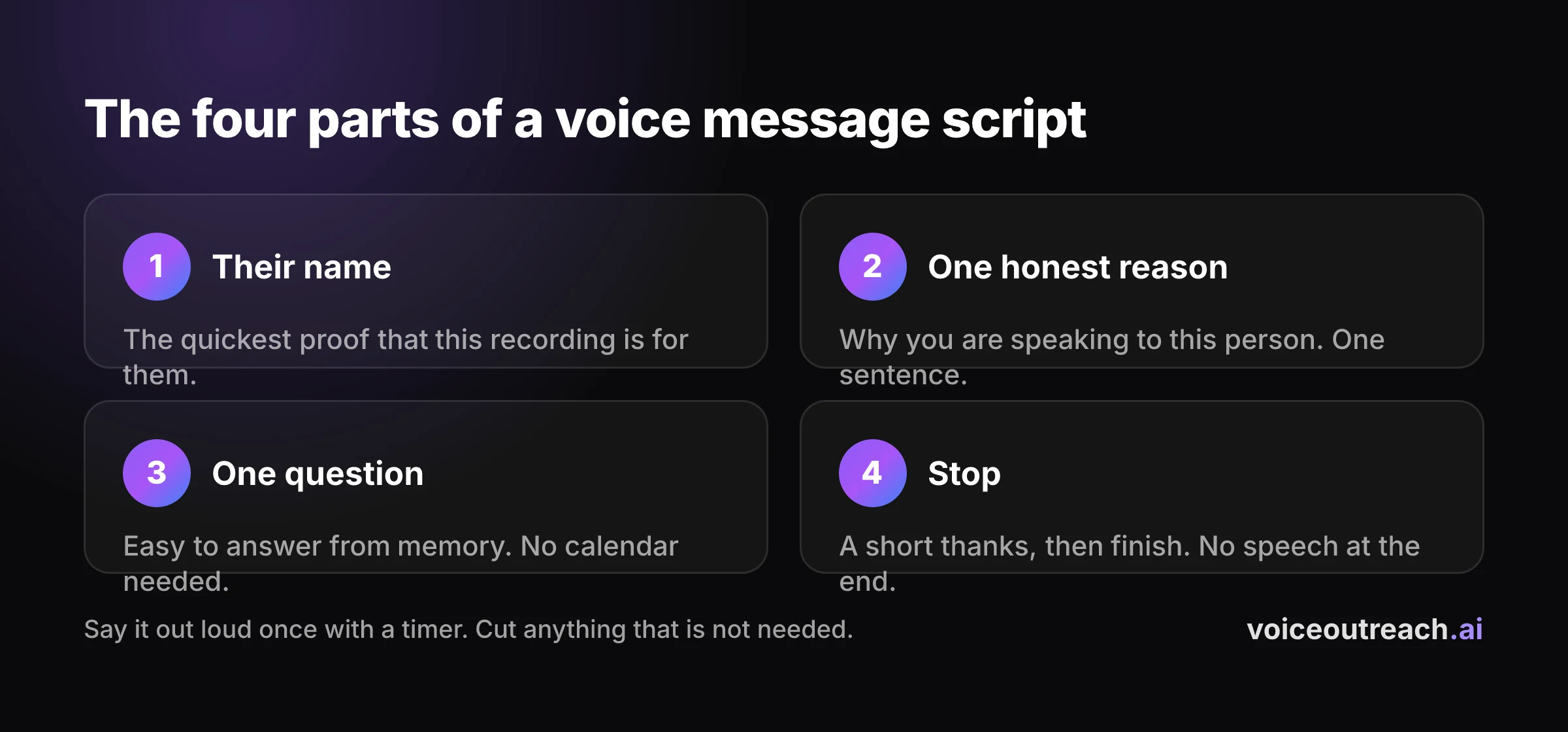
- Their name. It is the quickest proof that this recording is for them.
- One honest reason. Why you are speaking to this person, in one sentence. If you cannot say it truthfully, do not send the message.
- One question. Easy to answer from memory, with no calendar needed.
- Stop. A short thanks, then finish. No speech at the end.
The complete guide to LinkedIn voice notes explains the thinking. This post is the practical part: the actual words, for six moments.
Every name and detail below is made up for the example. Swap in true ones. A script with a fake detail is worse than no script.
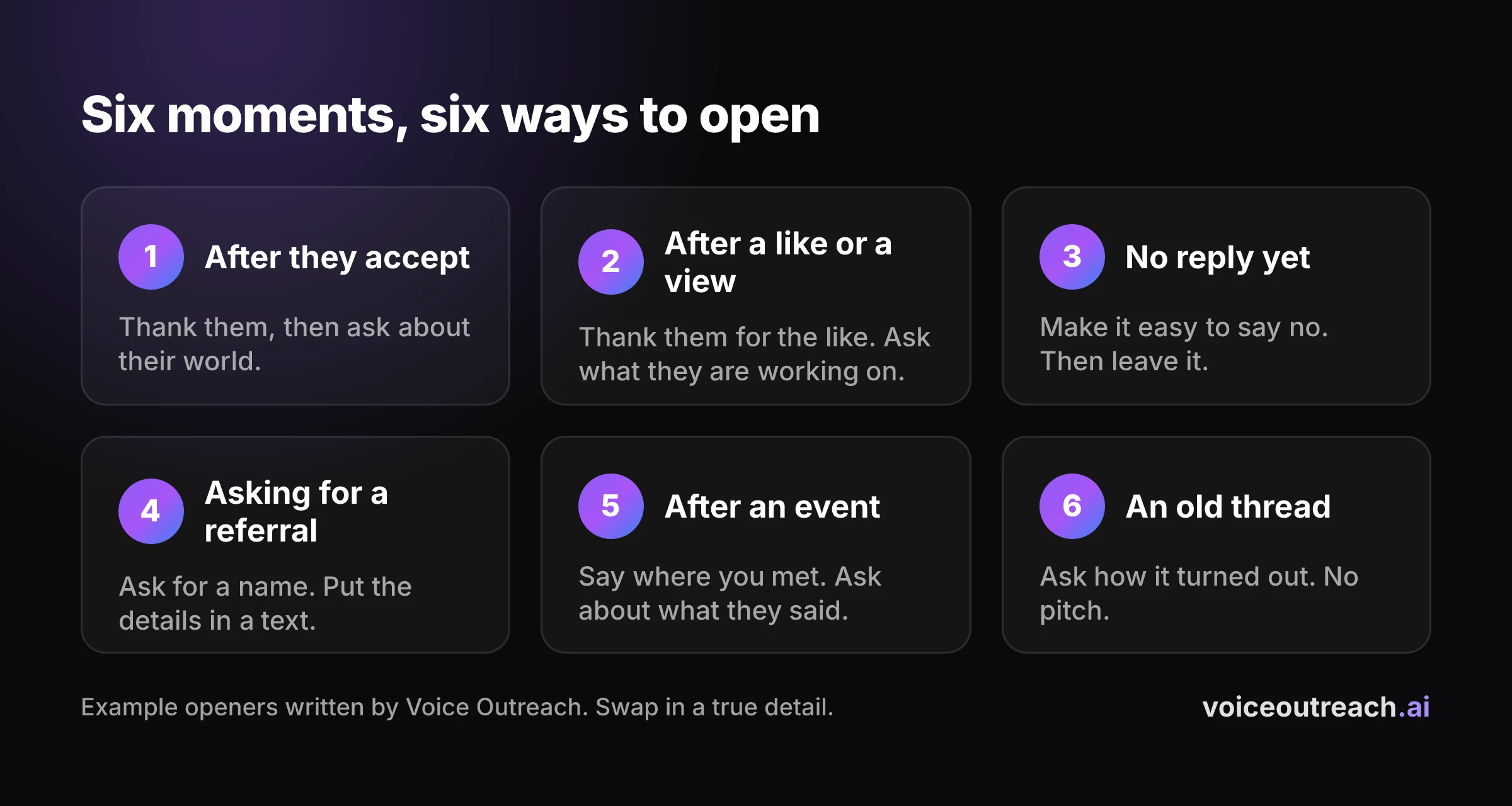
Script 1: right after they accept
This is the most common moment, and the easiest to get wrong. They said yes a minute ago, so do not pitch. Say hello, and ask about their world.
Hi Sarah, it's Hassan. Thanks for connecting. I saw you took over sales at your company this year, so I'm guessing outbound is on your mind.
Quick question: is your team doing its own LinkedIn outreach, or does that sit elsewhere? No rush.
The reason line is the part to change. For a recruiter it could be "I saw your team is growing", and for a founder, "I build something similar and wanted to say hello".
Keep your expectations honest too. In our own outreach, roughly three in four people we invited never accepted, which is 23.8% accepted from 819 invites. This script only ever reaches the people who said yes.
Script 2: after they view your profile or like your post
Someone liked your post or looked at your profile, and they are a connection. That is a small, friendly reason to say hello. Keep it light.
Hi Tom, it's Hassan. Thanks for liking my post about hiring a first sales rep.
Are you thinking about that right now, or just curious? Either way, nice to have you around.
If they viewed your profile and did not like anything, you can say "I saw you stopped by", but I would skip it. It can feel like being watched. The like gives you a better reason, because they chose to show up.
Never invent a reason. If you do not know why they came, ask what they are working on and say nothing about the view.
Script 3: following up when they have not replied
Most people do not answer the first message. Your follow up should make it easy to say no, because a clear no is better than silence for both of you.
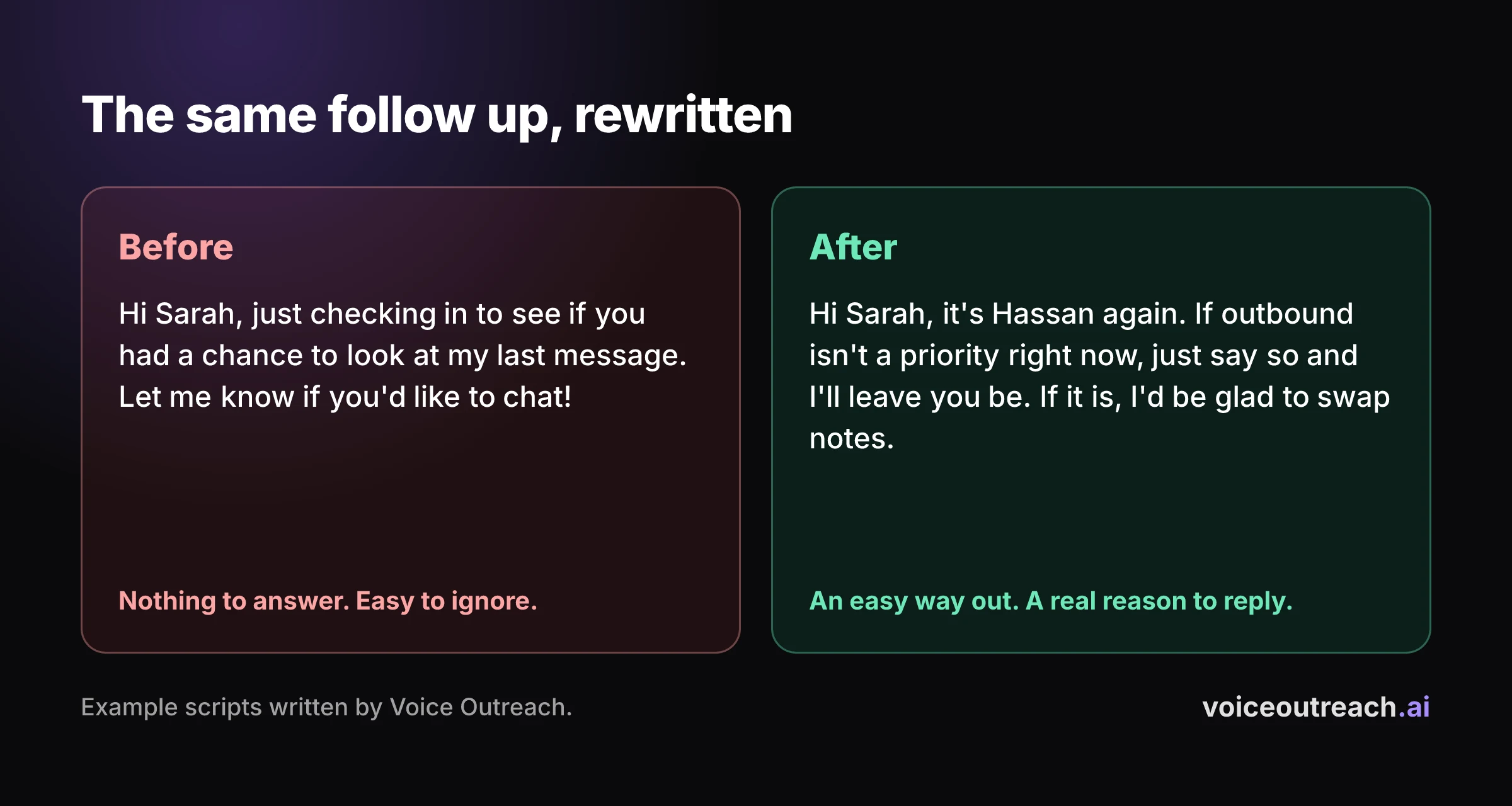
Hi Sarah, it's Hassan again. I'm not sure my last message was useful, so I'll keep this easy.
If outbound isn't a priority right now, just say so and I'll leave you be. If it is, I'd be glad to swap notes.
Compare it with the usual follow up, which says "just checking in" and gives them nothing to answer.
If this follow up goes unanswered too, stop. A third chase does not become a conversation.
Script 4: asking for a referral
A referral is a favour, so tone matters. Make the ask small. A name is plenty.
Hi Mark, it's Hassan. Thanks again for the call last week, I really enjoyed it.
I'm hoping to talk to a head of sales at a small software company. Is there anyone you know who might be open to a chat? No pressure if nobody comes to mind.
Put the practical details in a short text straight after, such as the kind of person you mean. Do not make them replay the audio to find out what to write.
If they say yes, thank them in a line, offer to write the introduction yourself so it costs them nothing, and send it quickly.
Script 5: after meeting at an event
You met someone at an event and connected afterwards. They met many people that day, so remind them how they know you, in a few words, and then give a reason.
Hi Priya, it's Hassan. We met at the founders breakfast on Thursday, by the coffee stand.
I liked what you said about hiring slowly. Do you have ten minutes this week so I can ask you more about it?
The detail is the whole point. It needs to be something only the two of you share, so write it from memory, not from a list. A script like this one cannot be sent in bulk without sounding hollow.
Send it within a day or two, while they still remember the room.
Script 6: reviving an old thread
A thread went quiet months ago. Maybe the timing was wrong for them, or maybe you dropped the ball. Pick it up with a question about their situation, not about yours.
Hi Tom, it's Hassan. It's been a few months since we talked about your hiring plans, and I wondered how it turned out.
Did you end up hiring that first rep? No pitch, I'm just curious.
Check the old thread before you record. Know what was said, and whether you were the one who went quiet. If you were, say so in four words: "I went quiet, sorry."
If they answer, reply like a person. Then, and only then, talk about what you do.
How do you change a script for your role?
Change one line, the reason. Everything else stays short.
| Your role | A reason line that works | The question to keep |
|---|---|---|
| Founder | "I'm building something in your area and I wanted to say hello." | "What was the first thing that worked for you?" |
| Sales person | "I noticed your team is growing, so I'm guessing this is on your list." | "Who owns this on your side?" |
| Recruiter | "Your background in operations stood out for a role I'm working on." | "Would you be open to hearing what it is?" |
For a recruiter, the voice message should ask permission, not describe the job. Details such as pay, location and the company name belong in text, where they can be read twice.
How do you check a script before you record it?
You do not need a tool for this. You need a phone and one minute.
Say it out loud once
Time it. If it runs past 20 seconds, cut a sentence, not a word.
Look for the pitch
If any line sells your product or asks for a meeting, take it out. The first voice message starts a conversation.
Check the detail is true
Could the person tell you checked? A true, small detail beats a big, vague one.
Record it in one take
Know your three points and talk. A small stumble tells them a person made this.
For the recording itself, the step by step guide to sending a voice message on LinkedIn covers the app, and how to get more replies on LinkedIn without sounding like a bot covers the written messages around it.
What if you send a lot of them?
Scripts 1 to 3 can be adapted for many people by swapping one true detail. Scripts 4 to 6 depend on a real moment between two people, so record those by hand.
If recording each one yourself becomes the bottleneck, that is when a tool helps. Voice Outreach lets you record one static voice note for a campaign on every plan, and the Pro plan, at $99 a month, sends a personal voice note to every lead in a cloned version of your voice. The pricing page has the details.
Weigh the options before you switch. HeyReach is a bigger tool in several ways, and I say where in that post. And once replies come in, how to book more meetings from LinkedIn outreach is about what to do next.
Frequently asked questions
What should I say in a LinkedIn voice message?
Say their name, give one honest reason you are speaking to them, ask one easy question and stop. About 50 words is enough. Leave the pitch, the links and the dates for a text message.
How long should a LinkedIn voice message be?
LinkedIn allows up to one minute, but I aim for under 20 seconds, which is about 50 words. That is my own working rule, not a published figure. Time yourself once and cut anything that is not needed.
What do I say in a voice message right after someone accepts my invite?
Say thanks for connecting, give one real reason you wanted to connect, and ask one question that is easy to answer. Do not pitch. The job of the first voice message is to start a conversation.
Can I send a voice message to someone I am not connected to?
No. LinkedIn says voice messages go to your 1st degree connections or into group chats. Send the connection request first, and record the voice message once they accept.
Should I read from a script word for word?
No, because people can hear reading and it sounds flat. Know your three or four points, press record and talk. Use the script to decide what to say, not how to say it.
Should I put a link or a pitch in a LinkedIn voice message?
No. Nobody wants to replay audio to catch a link, a date or a price. Put those in a short text after the voice message, written so it makes sense even if they never pressed Play.
Written by
Hassan Amjad
Founder of Voice Outreach. I send LinkedIn voice notes at scale and write about what actually gets replies.