On this page
Send a voice note when your voice adds something, such as warmth or tone, and the message is one idea. Send a text when the content has to be read, kept or acted on, like a time, a link or a price. In a sequence, use both, and give each one a different job.
This post goes further than the short list in the complete guide to LinkedIn voice notes. That guide gives you good moments and bad moments. Here you get a test you can run on any message, and a way to pair the two formats.
I run Voice Outreach, which sends voice notes as part of LinkedIn outreach, so I have a side. I will not tell you which format is better, because that is the wrong question. The useful question is which one fits the message in front of you.
How do you decide for a single message?
Ask five questions about the message you are about to send. Each one points a little toward voice or a little toward text, and the pattern tells you what to do.
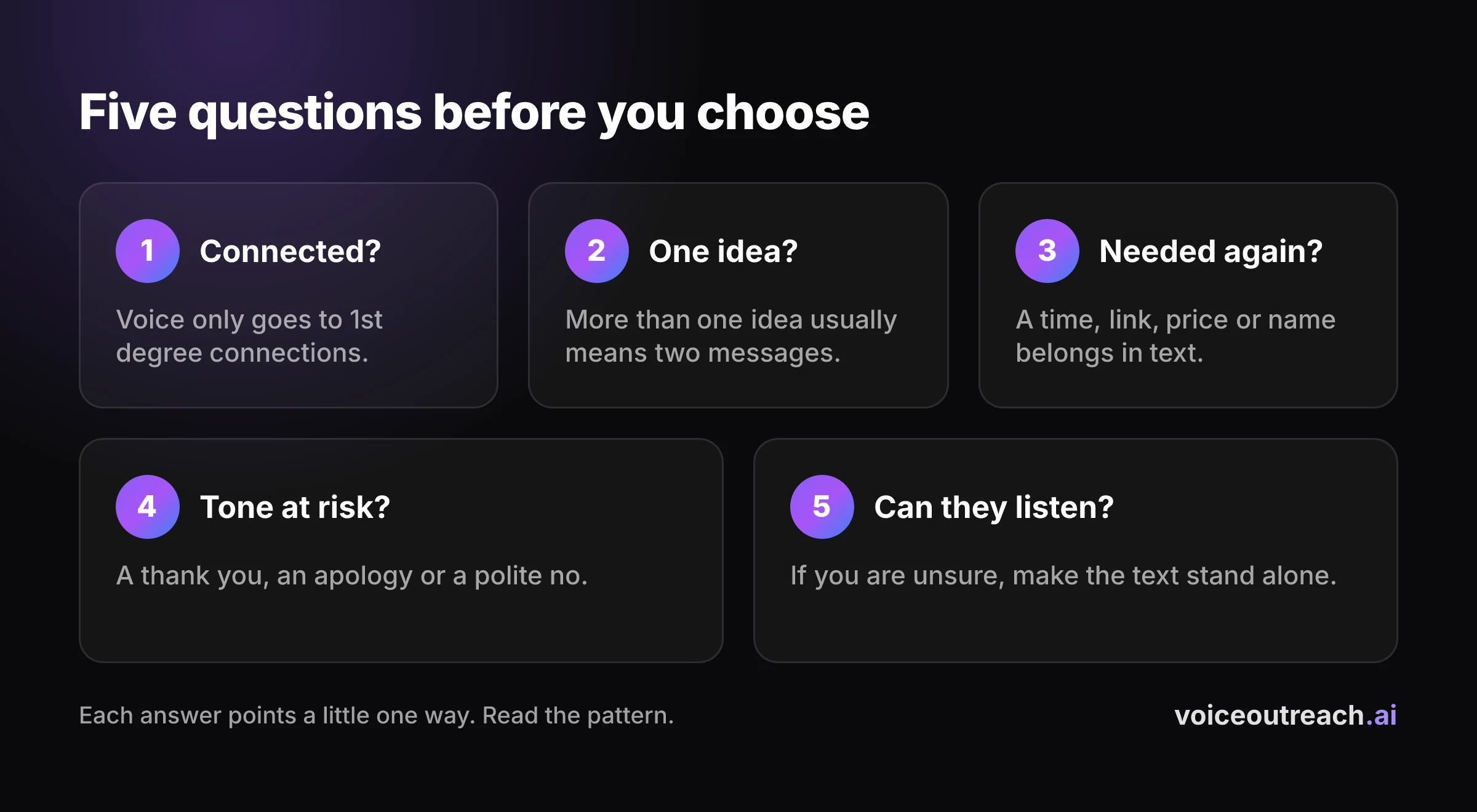
| Question | Points to voice | Points to text |
|---|---|---|
| Are they a 1st degree connection? | Yes, so voice is possible | No, so text is the only option |
| How many ideas are in it? | One | More than one |
| Will they need it again? | No, they hear it once | Yes, it holds a time, a link, a price or a name |
| Could the tone be misread? | Yes, like a thank you, an apology or a polite no | No, it is plain information |
| Can they listen right now? | Probably, and you have no reason to think otherwise | Unsure, or they have shown they prefer text |
The first question is a rule, not a preference. LinkedIn says voice messages go to your 1st degree connections or into group chats, and only from the mobile app, as its help page explains.
Now read down the table. If every answer points to voice, record one. If the third answer points to text, the details go in text, even if the rest points to voice.
When the answers split, you probably have two messages in one. That is what the mixing section below is for.
What belongs in text, whatever the moment?
The pillar guide sorts messages by moment. Here is a sort by job, which is easier to apply when you are in a hurry.
Text does the jobs that need to be read twice or found later:
- Times and dates. Nobody replays audio to copy a time into a calendar.
- Links and addresses. They have to be tapped, not typed from memory.
- Prices and numbers. A figure you say out loud is a figure they might mishear.
- Names and spellings. A name in a voice note is hard to search for later.
- Anything they might forward. A colleague cannot forward a tone of voice.
- Anything with consequences. An offer, a change of plan or a refusal that matters should exist in writing.
You can still say the offer out loud, for example by asking whether Thursday works. Just send the actual times in writing straight afterwards.
Voice does a different job. It carries tone, such as thanks, an apology, a warm hello or a gentle no. It also shows that a real person took a minute, which a template cannot do.
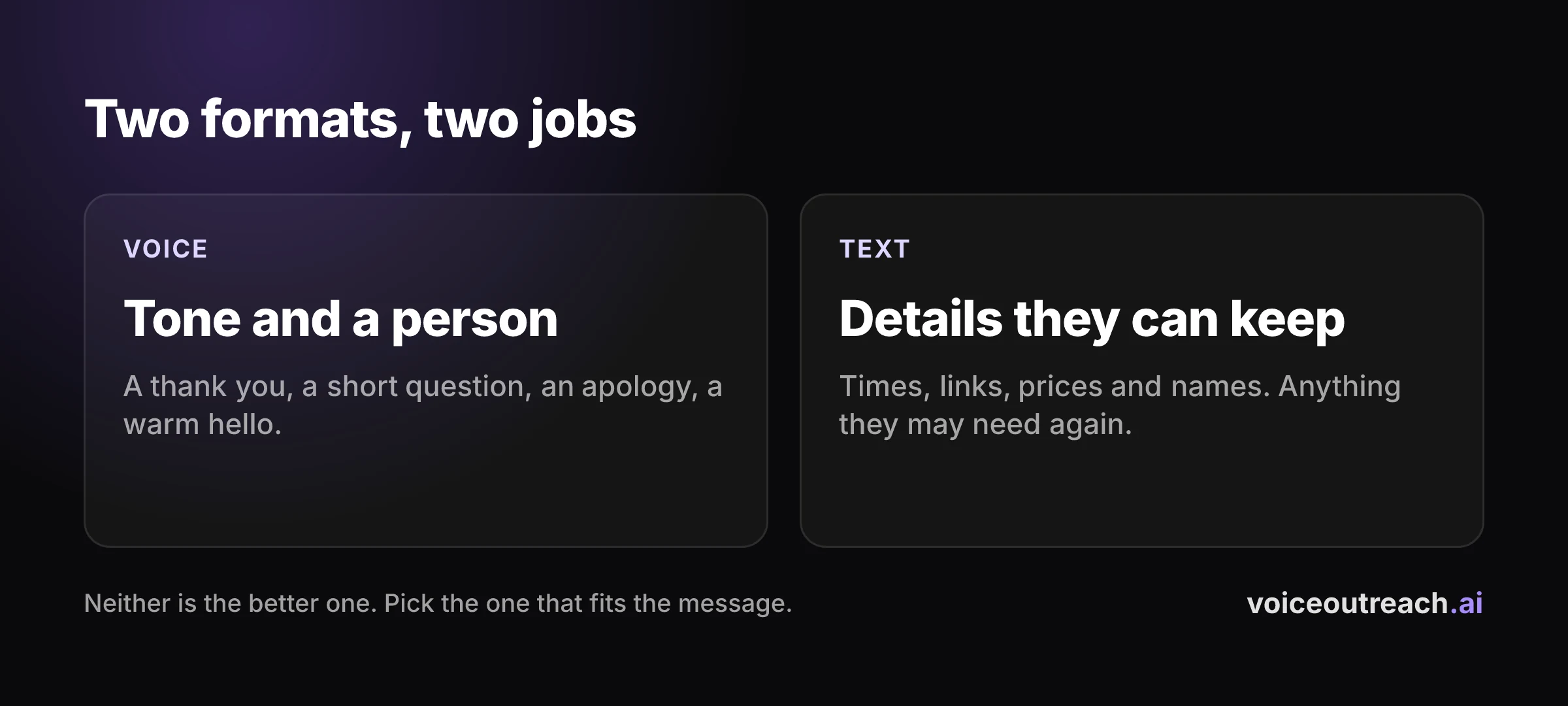
Notice that neither column is the better one. They are two tools, and most good messages need the right one for the job, not a favourite.
How does the choice change as a conversation goes on?
The right format shifts with the stage, because what you need from the other person shifts too.
| Stage | What fits | Why |
|---|---|---|
| Before you are connected | Text | Voice is not possible yet. The invite note is the only message you can send |
| Just accepted | Either | A short voice hello carries warmth. A short text hello is just as reasonable |
| A quiet thread | Either | A change of format changes the shape of the message. It works in both directions |
| They are writing in text | Text | Match the way they talk to you |
| Booking a call | Text for the details | Say the offer if you like, and write the times down |
| After a call | Both | A spoken thanks, then a written summary and next step |
Before you connect, even text is limited. Free accounts can add a note to five invites a month, and Premium accounts have no cap, according to LinkedIn, so on a free account many invites go out without one.
Both formats are also locked behind one gate. In our own outreach, 23.8% of invites were accepted, which is 195 of 819, so roughly three in four people never reached either message.
23.8%
of our connection invites were accepted. That is 195 accepted from 819 invites.
That is why I would spend my effort on the invite and the profile first. The choice between voice and text only matters for the people who accept.
On a quiet thread, think of the format as a way to change the shape of the message. If your last message was text, a short voice note is a fair change. If your last message was a voice note, a short text is just as fair.
How do you mix both in one sequence?
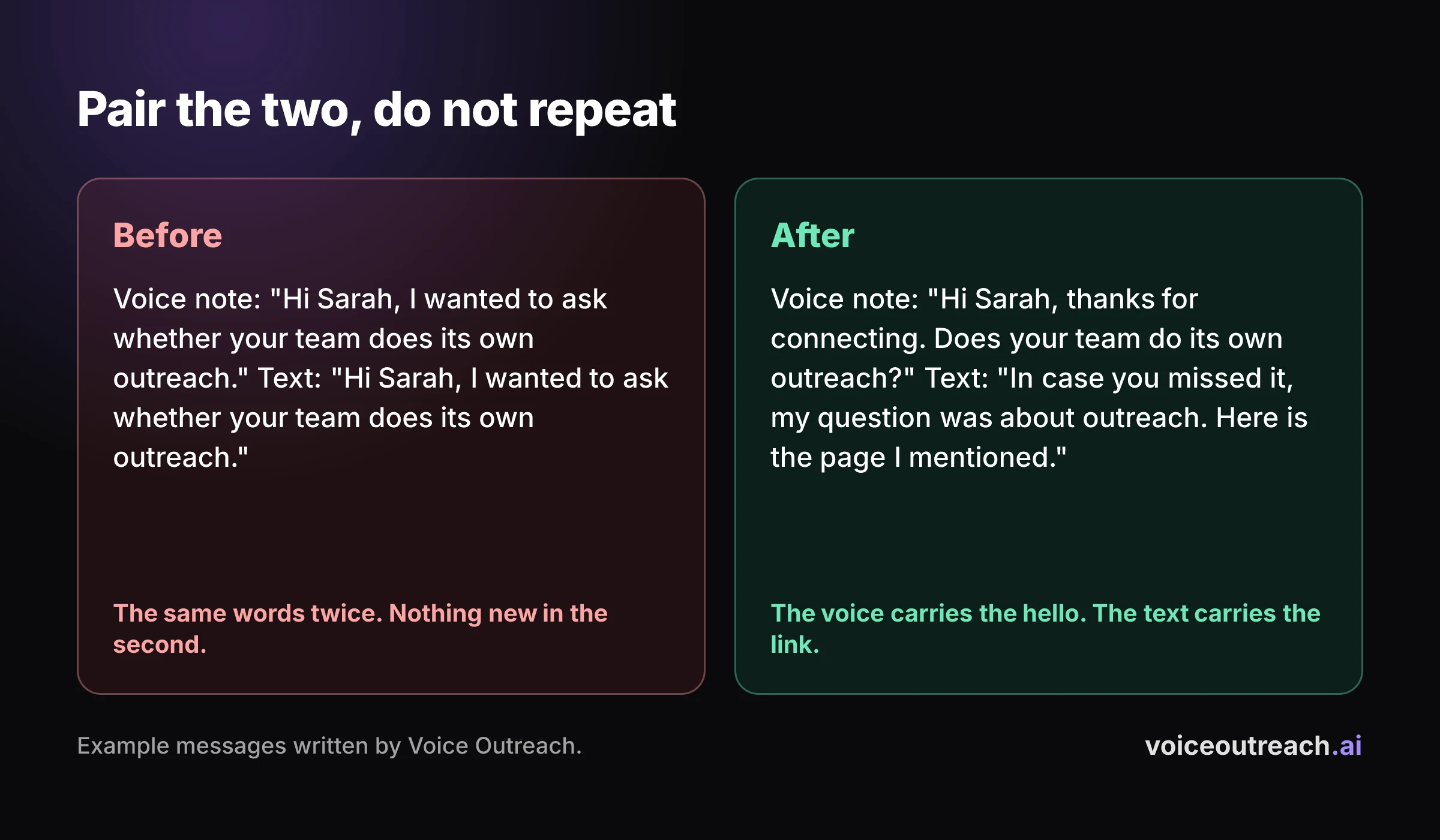
Give each message one job, and do not make them say the same thing. The voice note carries the human part, and the text carries the facts.
Here is a simple pattern. The gaps are suggestions, so change them to suit you.
Invite
A short connection request. Add a note if your account allows one, and keep it free of any pitch.
A voice hello after they accept
One idea and one question, in your own voice. Leave out links, dates and prices.
A text a few days later
Write it so it stands on its own. It repeats the question in one line and adds the detail the voice note left out.
Stop when they reply
End the sequence the moment they reply. A person takes over, in whichever format they used.
Let it rest
If a week passes with nothing, send one last short message or leave it. Do not keep chasing.
Here is what step three can look like. It is an example I wrote, not a message from a real person.
Hi Sarah, Hassan again. In case you did not get to the voice note, my question was whether your team does its own LinkedIn outreach. No rush either way.
It restates the one thing they need to answer, and it does not retell the voice note. That also helps anyone who cannot or would rather not play audio.
The split changes with the role. These are examples, not rules.
| Role | The voice note says | The text carries |
|---|---|---|
| Sales | A warm hello and one question about how they run outreach | A link to the page you mentioned, and the question in one line |
| Recruiter | Why their background stood out and whether they would hear about a role | The role title, the location and the pay range |
| Founder | A thank you for connecting and one question about their first customers | Your product name and one link, if they ask |
If you want ready made words for the voice note, the LinkedIn voice message scripts post has six of them, one for each common moment. For the written side, how to get more replies on LinkedIn without sounding like a bot covers it.
What do you do when they answer in the other format?
Follow them. If you sent a voice note and they reply in text, reply in text. They told you how they want to talk.
Do not answer a typed reply with another voice note just because that is your plan. And if they send you a voice note, listen to all of it before you answer.
When the conversation moves to a call, the same pairing works. How to book more meetings from LinkedIn outreach covers the ask, and the times and the link go in writing.
What mistakes do people make when they mix the two?
Saying the same thing twice. A voice note and a text with the same words is just a longer way to be ignored. Give the second message a different job.
Sending both in the same minute. It looks like a queue emptying, and it leaves the person no room to answer the first message.
Putting the details only in audio. If the date or the link lives in the voice note, they have to replay it to use it.
Switching format every message. If every step is a different format for the sake of it, it reads like a tool cycling through a template.
Assuming they listened. LinkedIn's help page does not describe a listened receipt. Write the follow up so it works if they never pressed Play.
Using one format for everything. Some people type everything and some talk to everyone. Match the message, not your habit.
What should you do next?
Take the next five messages you were going to send and run the five questions on each one. You will probably find at least one that is really two messages.
If you want to try a sequence with a voice step and a text step in a tool, check that it stops the moment someone replies, and that you control the gaps. Voice Outreach starts at $39 a month. Starter has one static voice note campaign, and Pro, at $99 a month, sends a personal voice note to every lead in a cloned version of your voice, as the pricing page shows.
If you are comparing tools, the HeyReach alternative post says where HeyReach is the better pick. And if you have never recorded one, the step by step guide to sending a voice message takes five minutes.
Frequently asked questions
When should I send a voice message instead of a text on LinkedIn?
Send a voice message when your voice adds tone or warmth and the message is one idea, like a thank you or a short question. Send a text when the message holds details they will need again, such as a time, a link or a price. They have to be 1st degree connections for voice to be possible at all.
Do I have to send a voice note to a new connection?
No. Nothing requires it, and a short text hello is just as reasonable. Pick the format that fits the message and the person, and remember that a voice note needs them to accept your invite first.
Should I send a voice note and a text at the same time?
No. Send them apart, and give the first one a few days before you send the second. Make the text stand on its own, so it works even if they never played the voice note.
Can I put a link or a time in a voice note?
You can say it, but they will have to replay the audio to use it. Put links, dates, prices and names in text, and keep the voice note for the human part.
What if they reply to my voice note with a text?
Reply in text. They have shown you how they want to talk, and matching that is part of being easy to answer.
Can I use voice notes and texts in the same sequence?
Yes, and it is how I would set one up. Give each message a different job, with the voice note carrying the human part and the text carrying the details, and stop the whole sequence when they reply.
Written by
Hassan Amjad
Founder of Voice Outreach. I send LinkedIn voice notes at scale and write about what actually gets replies.